
What's new in Crewstack?
The gift icon at the top of the admin area shows the latest news and improvements in Crewstack.
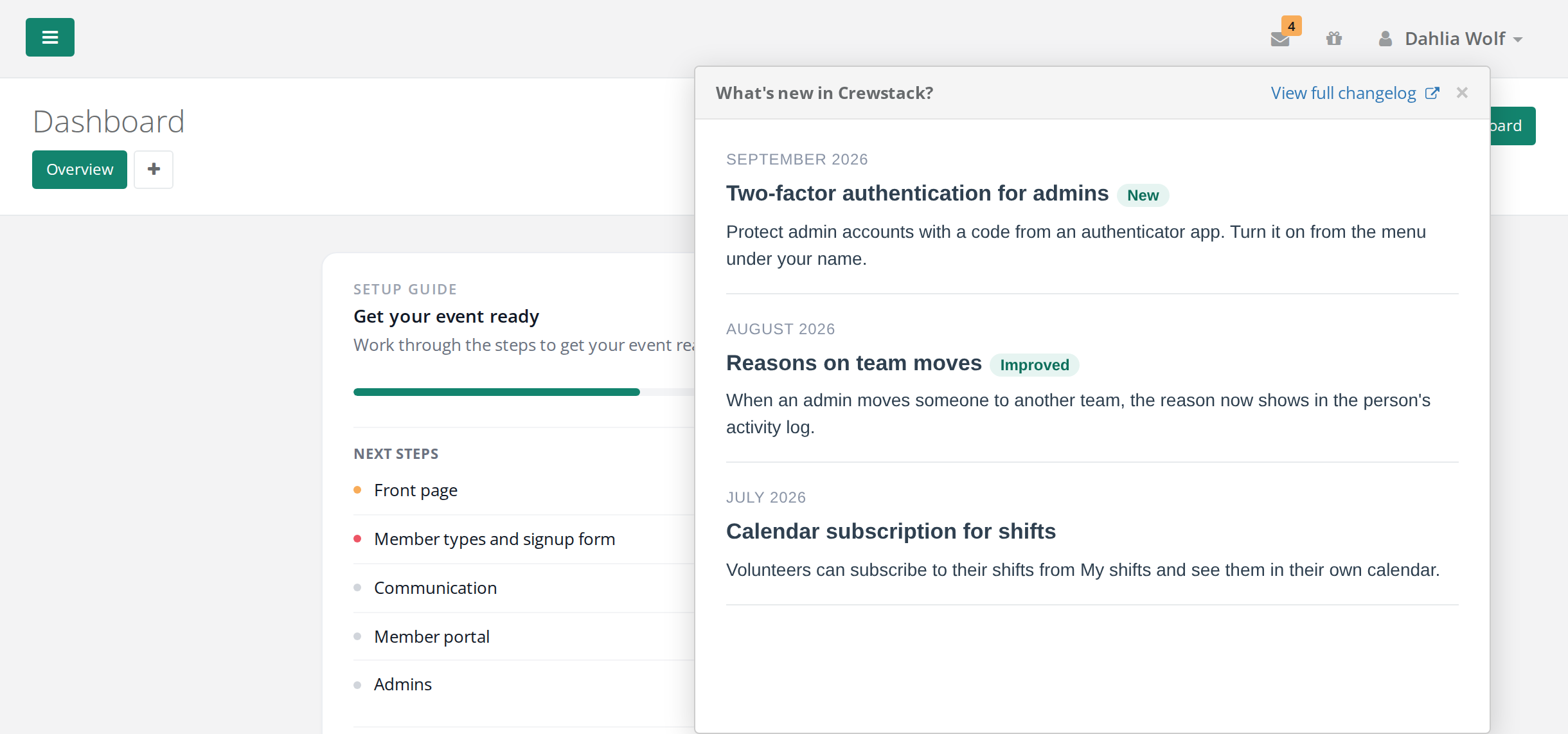
The gift icon at the top right of the admin area shows what's new in Crewstack: new features and improvements. When there's something you haven't seen, the icon shows NEW.
How to see the news
- Click the gift icon at the top right, next to your name.
- The What's new in Crewstack? window opens with the latest news.
- Click View full changelog to see all earlier news. It opens in a new tab.
- Close the window with the cross, or click somewhere else on the page.
Once you've opened the window, NEW disappears until there's something new.
Who sees the icon
People with the Admin or Super Admin role in the event. Team leaders and team group leaders don't see it, and it isn't on the organizer's own pages.
Pitfalls
- It's not your own news. The icon is called What's new when you hover over it, and it's about Crewstack. The news you write for your crew is in the portal. See News in the portal.
- NEW comes back on another computer. Crewstack remembers in the browser what you've seen. If you use another computer or browser, or clear the browser's data, it shows NEW again.
- Full changelog in English. If you use Crewstack in German, View full changelog opens the English version.
Didn't find the answer? Write to support@crewstack.io.