
Secondary email
Ask for an extra email address as a data field, and see whether the crew member has confirmed it.
Secondary email is a type of data field where crew members can enter an extra email address besides the one they log in with. Crewstack asks them to confirm the address, and you can see on the profile whether they have.
Create the field
This takes a super admin.
- Go to Settings > Member type properties and click New Member type property.
- Choose Secondary email under Type, and do the rest as for other data fields.
- Add the field to the signup form if crew members should fill it in during signup.
See Data fields and who can see them and Set up the signup form.
What crew members see
- The crew member types the address in the field, during signup or on their profile. It has to be a valid email address.
- Crewstack sends a mail to the new address with a link to confirm it.
- When they click the link, the login page opens with the message "Your email address has been successfully confirmed."
The link works for 7 days. If it's too old, they get the message "The confirmation link is invalid or has expired."
If the crew member took part in one of your earlier events, the address may already be filled in from last time. It still has to be confirmed again in the new event.
See whether the address is confirmed
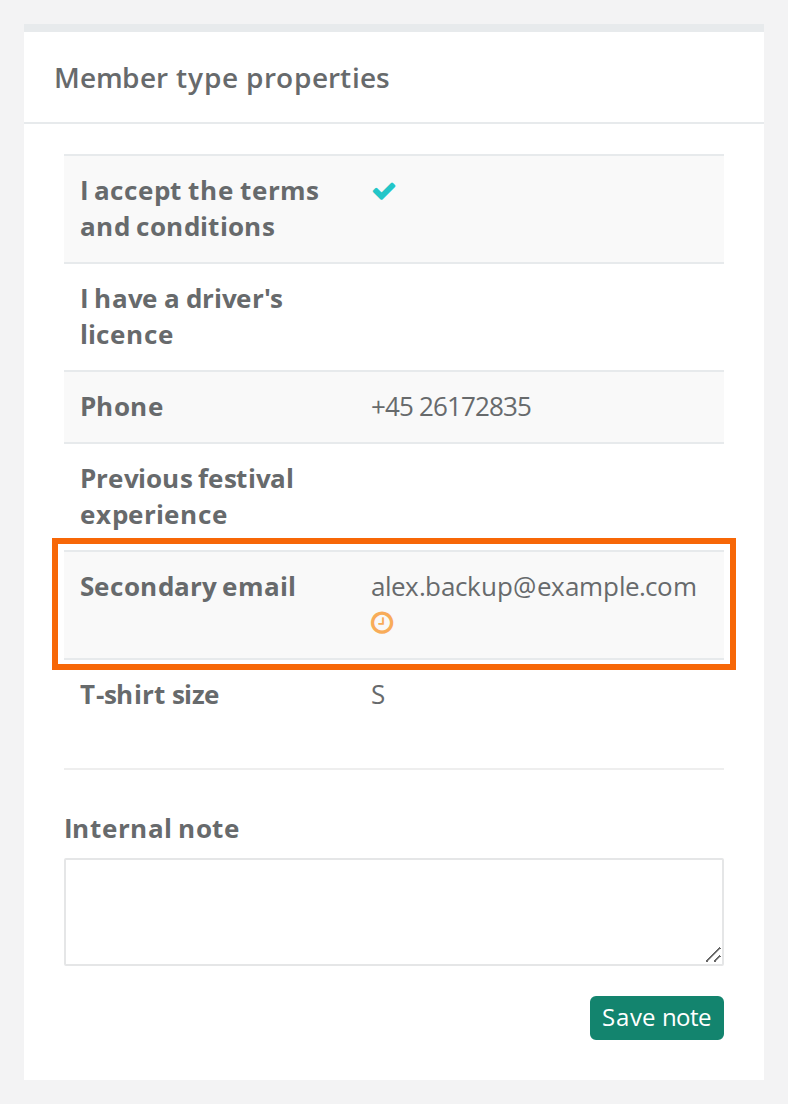
Open the person's profile and find the field. Next to the address there is:
- a green tick when the address is confirmed
- an orange clock when the address is waiting to be confirmed
Hover over the icon to see Confirmed or Pending confirmation.
What the address is used for
Crewstack stores the address and shows it like the other data fields, for example on the profile and in the search. It isn't used for logging in, and messages and mails from Crewstack still only go to the person's primary email.
Pitfalls
- The mail is about changing email. The confirmation uses the mail template Email change confirmation, which is also used when someone changes the email they log in with. The default text asks them to confirm their "new email". Ask the crew member to click the link anyway. The email they log in with doesn't change. If you edit the text under Customize > Mail templates, remember it's used for both. See Mail templates.
- No button to send the mail again. The mail is only sent when the address changes. If the field isn't required, you can empty the field, save, type the address again and save. The crew member then gets a new mail.
- If you change the address as an admin, it has to be confirmed again. The crew member gets a mail at the new address, and the status changes to the orange clock.
Didn't find the answer? Write to support@crewstack.io.