
Signup status: who can sign up?
What the six Signup status options mean, who counts as a previous member, and what crew members see when they are refused.
Signup status decides who can sign up for your event: everyone, only people with an invite link, only people who have taken part before, or no one. It applies to the whole event and all member types. A new event always starts as Closed.
How to change the signup status
- Go to Settings > General settings.
- Find Signup status in the Members section.
- Choose a status.
- Click Save.
The change applies straight away. You can also change it in the Setup guide under the Registration method step, where the field is called Who can sign up.
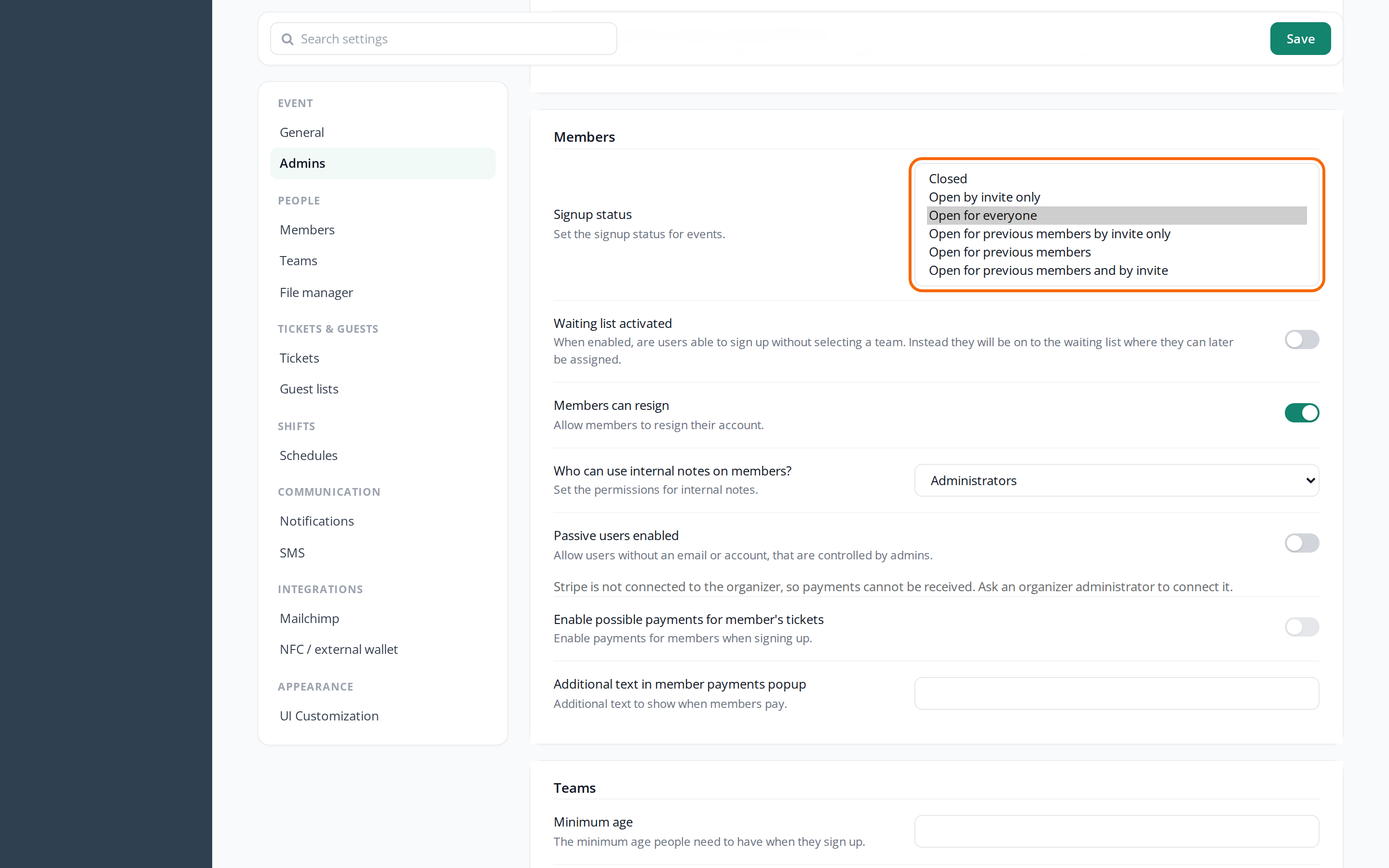
What do the options mean?
| Signup status | Who can sign up |
|---|---|
| Closed | No one. Invite links don't work either. |
| Open by invite only | Only people with an invite link to a team. |
| Open for everyone | Everyone, both through the event's signup links and through invite links. |
| Open for previous members by invite only | Only previous members, and only with an invite link. |
| Open for previous members | Only previous members. An invite link doesn't help anyone else. |
| Open for previous members and by invite | Previous members and everyone with an invite link. |
The signup status only affects new signups. People who have already completed their signup can still log in. People who are halfway through the signup can't finish it if the new status excludes them.
If signup is Closed, new people can only get in if an admin creates them.
Who are previous members?
A previous member is a person who has completed a signup for one of your other events and isn't on the waiting list there. Crewstack recognises them by their email address. So they have to sign up with the same email as last time, and they log in with their old password.
What the crew member sees
When one of the options for previous members is selected, a box at the top of the signup page says that signup is only open for previous members.
If the crew member is refused, they see one of these messages:
| The message | What it means |
|---|---|
| Event closed | The signup status is Closed. |
| Signup is only allowed with a invite link | The crew member didn't use an invite link, and the status requires one. |
| Couldn't find a previous … with email … | The status is for previous members only, and the email doesn't belong to a previous member. The crew member stays on the first page and can try another email. |
| Signup is only open for previous …, or with a invite link. | The status is Open for previous members and by invite, and the crew member is neither a previous member nor has an invite link. |
Resigned and blacklisted people can never sign up again by themselves, whatever the signup status. See Resigned users – find and restore. See also Resign, blacklist or delete a user.
The event's and the teams' signup status
Each team also has a Signup status: Open, Invite only or Closed. The two work together:
- The event's status decides who can sign up at all.
- The team's status decides whether the team can be chosen during signup (only Open), and whether invite links to the team work (Open or Invite only).
So an invite link needs both an event status that allows invitations and a team that is Open or Invite only and has free spots. See Invite crew members to a team.
Example: last year's crew first
- Set Signup status to Open for previous members and by invite.
- Ask the team leaders to send invitations to their teams from last year, and to new crew members they want on board.
- Switch to Open for everyone when you want to open for everyone.
If you only want last year's crew to get in, also through invitations, use Open for previous members by invite only in step 1.
Pitfalls
- A new event is closed: A new event starts as Closed, also when it is a copy of last year's event. Remember to open signup.
- The waiting list is a separate setting: Whether people go on the waiting list when the teams are full is controlled by Waiting list activated. See How the waiting list works.
- New email: If a crew member from a previous event has a new email address, Crewstack can't see that they have taken part before. Send them an invite link if the status allows it.
Didn't find the answer? Write to support@crewstack.io.