
Booking polls: transport and beds on the ticket
Let your crew book a bus, a ferry or a bed with a poll, so their seat goes on their ticket and can be scanned.
A poll can be used for bookings: each option can hand out a product, for example a seat on the bus on Friday at 08:00 or a bed at the school. When a crew member picks the option, the product goes on their ticket, so it can be scanned and handed out like your other products.
Before you start
- Create a product for each departure or each night, for example Bus Friday 08:00. Only super admins can create products and pick them on an option. See Create products and give them to your crew.
- Make one poll for each thing they need to book, for example one for transport there, one for transport home and one for accommodation, so your crew picks one option in each.
Create a booking
- Create a poll under Polls > New poll. See Polls: ask your crew a question and collect the answers.
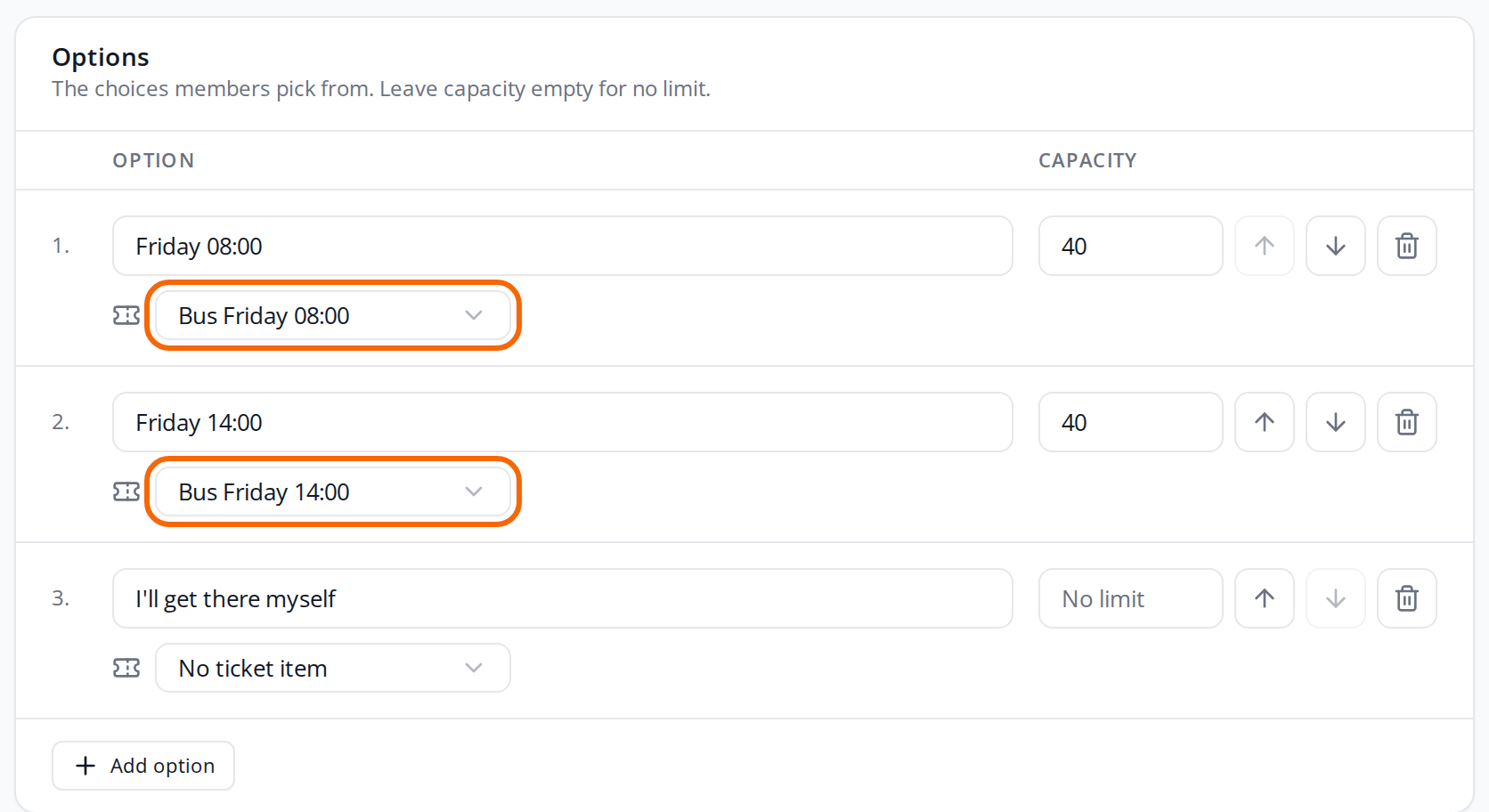
- Add an option for each departure, and set Capacity to the number of seats.
- Pick the product in the field with the ticket icon under the option. No ticket item means the option hands out nothing, for example I'll get there myself.
- Leave Members can on Pick one option.
- Choose the audience and the deadline, and click Create poll.
- Click Publish.
The field with the ticket icon only shows for super admins, and only when the event has products that can be picked. Other admins can see which product an option gives, but can't change it. System products such as the scanner can't be picked.
What happens on the crew member's ticket
- If a crew member picks an option with a product, they get the product. If they bring a guest, they get two.
- If they pick another option or withdraw their answer, the product goes away again.
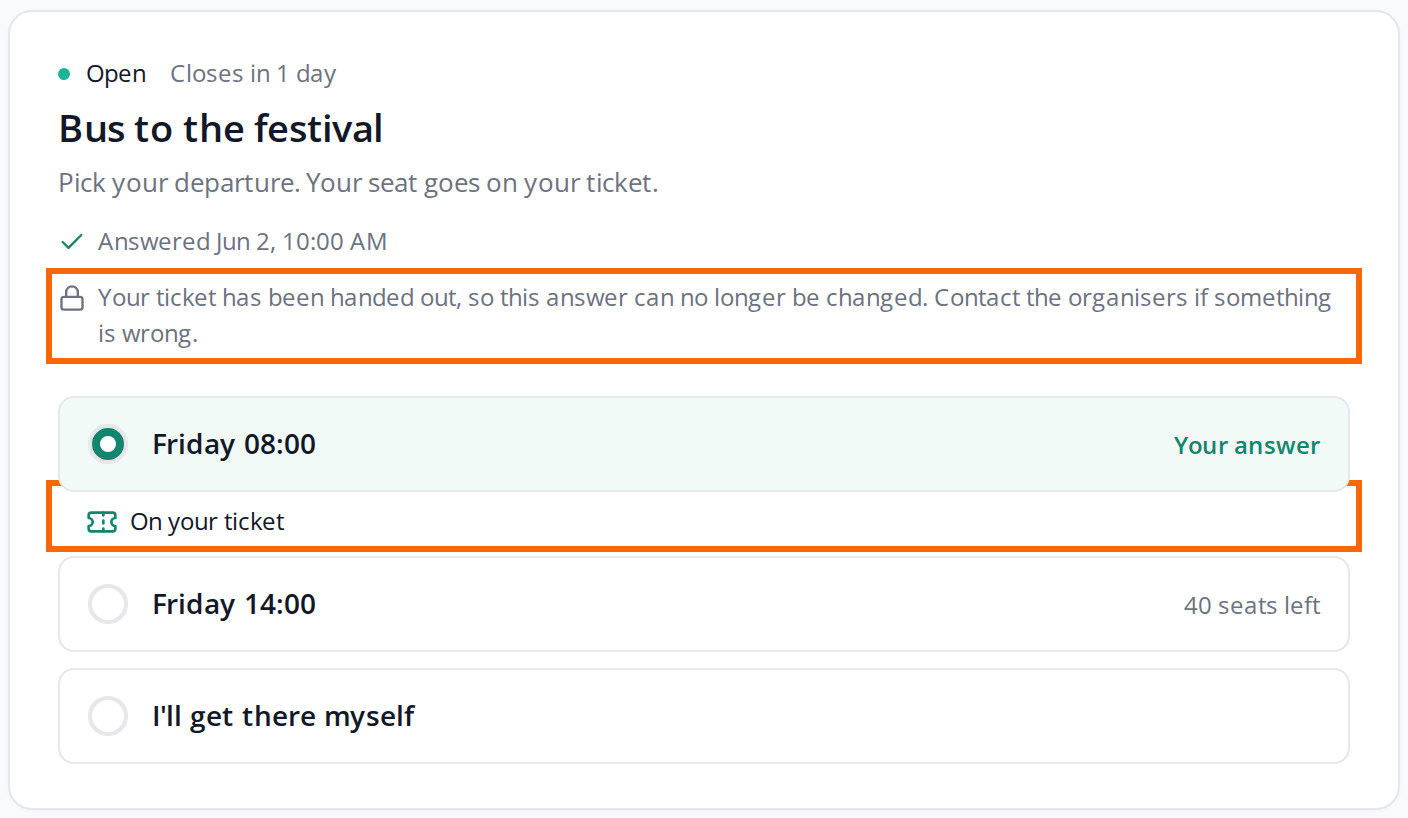
- On the poll, On your ticket shows under the option they picked.
- If you use EventPos or Corego, the chip or the wallet is updated. See NFC chips with EventPos and Corego wallet with QR tickets.
You can see where the product comes from on the person's Assign tickets page. Under Already assigned products it says, for example, 1 x Poll: Bus to the festival – Friday 08:00. See Assign tickets to a single person.
Once the ticket is handed out
Once the product from a poll has been handed out, for example scanned at the bus, the crew member can no longer change or withdraw their answer to that poll. The poll says "Your ticket has been handed out, so this answer can no longer be changed. Contact the organisers if something is wrong."
This applies to the whole poll, not just the option that was handed out. Team leads answering for their team can't change the answer either. Only an admin can, on the answers page.
A product that has been handed out stays on the ticket, even if the answer is changed afterwards.
See the bookings
On the answers page, each option that hands out a product shows Hands out:
Change, hide and close
- Close poll: Your crew keeps the products from their answers. To take a product away from someone, change or remove their answer on the answers page. That only works while the product hasn't been handed out. A product that has been handed out stays on the ticket.
- Hide an option: Those who picked it keep the product, but no one new can pick it.
- Change the product on an option: Everyone who picked the option gets the new product instead. A product that has already been handed out stays on the ticket.
- Delete a product: A product that an option hands out can't be deleted. Pick No ticket item on the option first.
Pitfalls
- If you move someone after hand-out, the handed-out product counts toward the new option when it gives the same product. So they still have one, not two. If the new option gives a different product, they get it on top.
- One night is scanned, and the other nights are locked: If several nights are options in the same poll, a night that has been handed out locks the whole answer for the crew member. Make one poll per night if they should be able to change the others.
- The guest doesn't get their own ticket: With a guest, the crew member gets two of the product on their own ticket.
Didn't find the answer? Write to support@crewstack.io.