
Automatic emails and SMS reminders
Choose which emails Crewstack sends by itself when someone gets a shift or joins a team, and send SMS reminders before shifts.
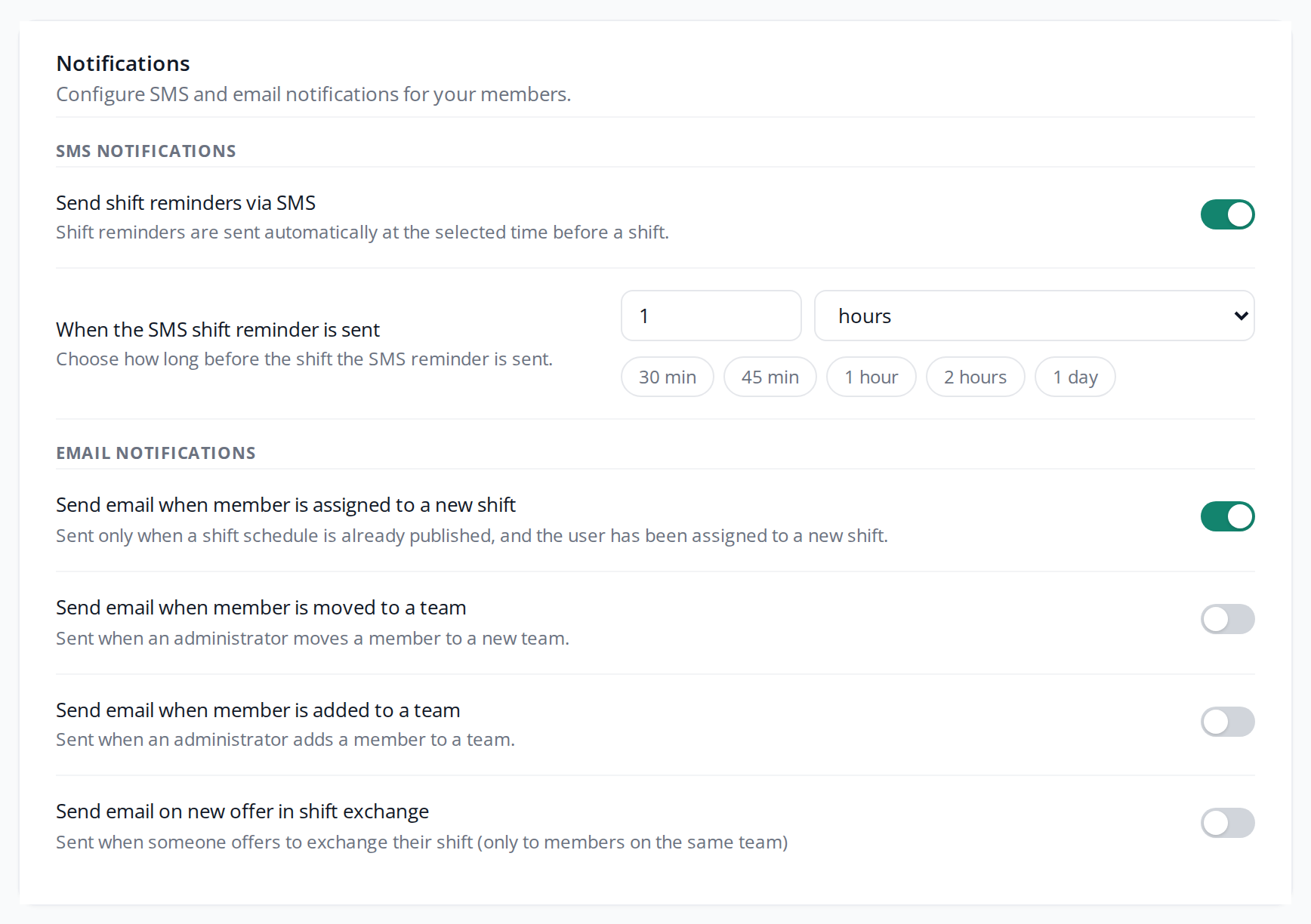
Under Notifications you decide which messages Crewstack sends to crew members by itself when something happens to them: an email when they get a shift or join a team, and an SMS shortly before their shift. Everything is switched off when the event is new.
Find the settings
- Go to Settings > General settings.
- Click Notifications in the menu on the left.
- Tick or untick the settings under SMS notifications and Email notifications.
- Click Save at the top of the page.
The email settings are also in the Setup guide under the Communication step, with slightly different names, for example Email when a member gets a shift. They are the same settings. See Get started with the setup guide.
Emails to your crew
| Setting | The email is sent when … |
|---|---|
| Send email when member is assigned to a new shift | someone is put on a shift in a schedule that is published. This includes shifts crew members pick themselves under Find shifts. |
| Send email when member is moved to a team | an admin or team lead uses Move to team. |
| Send email when member is added to a team | an admin or team lead uses Add to team, also from Add members on the team page. |
| Send email on new offer in shift exchange | a crew member puts a shift up for exchange. The email goes to the people who can take the offer. See Shift exchange. |
Good to know about the new shift email:
- It is only sent for shifts in a published schedule. If you put people on shifts before the schedule is published, they get no email about the individual shifts. To let them know when you publish, tick Notify members that schedule has been published. See Publish a schedule.
- When two crew members swap shifts in the shift exchange, neither of them gets the email.
- The same setting also sends an email to attendance registrars when they are put on a shift. See Attendance registration and shift leaders.
A super admin edits the text of these emails under Customize > Mail templates: Member assigned to new shift, Member moved to new team and New shift exchange offer. The email for being added to a team has no template and uses Crewstack's own text. See Mail templates.
SMS reminders before shifts
Crewstack can send an SMS to everyone on a shift some time before the shift starts. It needs three things:
- SMS is switched on for the event: tick Activated under SMS in General settings. See Messages.
- Send shift reminders via SMS is switched on under Notifications.
- The schedule has Send sms reminders ticked under Edit settings. New schedules have it from the start. The field only shows when the first two are switched on.
Under When the SMS shift reminder is sent you choose how long before the shift the SMS goes out. Type a number and choose minutes, hours or days, or click one of the buttons 30 min, 45 min, 1 hour, 2 hours or 1 day. If the field is empty, the SMS is sent 30 minutes before.
The reminder goes to everyone on the shift who has filled in their phone number. It is sent in the person's own language and looks like this:
"Remember your shift with the 'Bar' team at 10:00. Enjoy your shift."
If the shift doesn't start on the same day the SMS is sent, the date is in the text too. The text can't be edited.
SMS costs extra. You can see the price under Settings > General settings > SMS or in your agreement with Crewstack. Under Reports > SMS Messages you can see the reminders that have been sent. Their type is Shift reminder.
Pitfalls
- Only one reminder per shift. Once the reminder for a shift has been sent, no more are sent. If you put someone on the shift afterwards, or move the shift to later, nobody gets a new reminder.
- A longer time sends reminders straight away. If you change the time from 30 minutes to 1 day, for example, every shift that starts within the next day and hasn't had a reminder gets one within a few minutes.
- Reminders also go out before publishing. SMS reminders are sent even if the schedule isn't published. If the schedule shouldn't reach crew members yet, untick Send sms reminders on the schedule.
- The setting does nothing without SMS. Send shift reminders via SMS can be switched on even when SMS isn't activated, but then nothing is sent.
- No team email at signup. When crew members choose a team themselves while signing up, the email for being added to a team is not sent. It is only sent with Add to team.
- No phone, no SMS. If the person hasn't filled in their phone number, Crewstack skips them without saying so.
Didn't find the answer? Write to support@crewstack.io.